Trying to find that elusive perfect switch for the garage rack…
The addition of a new Unifi Pro 7 access point meant that it was now desirable to have a 2.5G PoE+ port on the switch. The existing rack had combination of a 24x1G managed switch, a 4×2.5G + 2xSFP+ un-managed switch and a 5x1G PoE managed (using that term loosely here, management was very basic and insecure). So while there was PoE and there was 2.5G there was no 2.5G with PoE. It was also a bit of a mess with two small switches being cabled tied to the larger switch. So it seemed that it was time to upgrade form the mess to something a little cleaner.
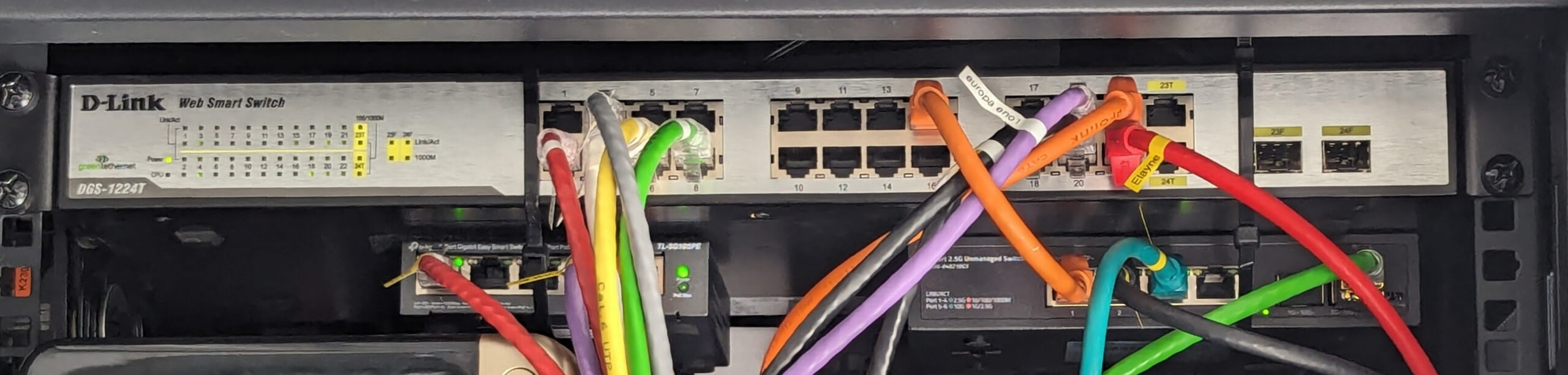
The ideal requirements of the new switch was:
- PoE for at least 4 ports for cameras and WiFi access points, including at least 2 of these ports being 2.5G. The total PoE power requirements is low with only around 15Ws currently needed
- 2.5Gbps for at least 6 ports for servers and NAS all of which have 2.5G NICS
- 10Gbps for at least 2 ports for the link from to the office switch and for a future upgrade of the NAS to 10G
- At least 16 ports overall, the reaming ports can be 1G
- Should fit in a short depth rack (450mm rack, only 280mm between the rails)
- Quite and preferably silent
- Managed, with VLANs and SNMP at a minimum including PoE power statistics and SFP+ diagnostics over SNMP
- Rack mount preferred, although I do have short rack trays I can sit non rack mount switches on
There are lots of switches on the market so this should have been simple, but that would have been too easy. The main problems were:
- The short depth retirement ruled out a lot of switches that may have otherwise been suitable. With only 280mm between the rails a lot of larger switches are too deep to fit.
- Quite switches, especially for PoE, are difficult to find. And for any switch with fans it is difficult to determine how noisy a switch will be. In some switches replacing the fans can quieten them down but in other it is the airflow itself that makes the noise and change the fans doesn’t help (speaking from experience).
- Managed switches are not as common as un-managed, and the quality of the management varies. The existing 5 port PoE switch was managed but only via https, not securely, and only for VLANs, LAGS and PoE consumption details.
The QNAP QSW-M2116P-2T2S is almost the ideal switch, but the price is high, availability was poor and the management was basic (no SNMP at the time for example). Also there had been some complaints about the pitch of the fans even when running slow. There were a lot of switches found on aliexpress but working out what the management quality was like, what the noise levels were like and future support were all concerns. In the end I settled on a combination of the TP-Link SG3210X-M2 and TP-Link SG2210XMP-M2. Functionality wise the switches are practically identical, but with the SG2210XMP-M2 including PoE. The switches each have 2x10G SFP+ which left only 2 free after using two of the SFP+’s to join the switches. Ideally there would have been more, but this was ok for now.
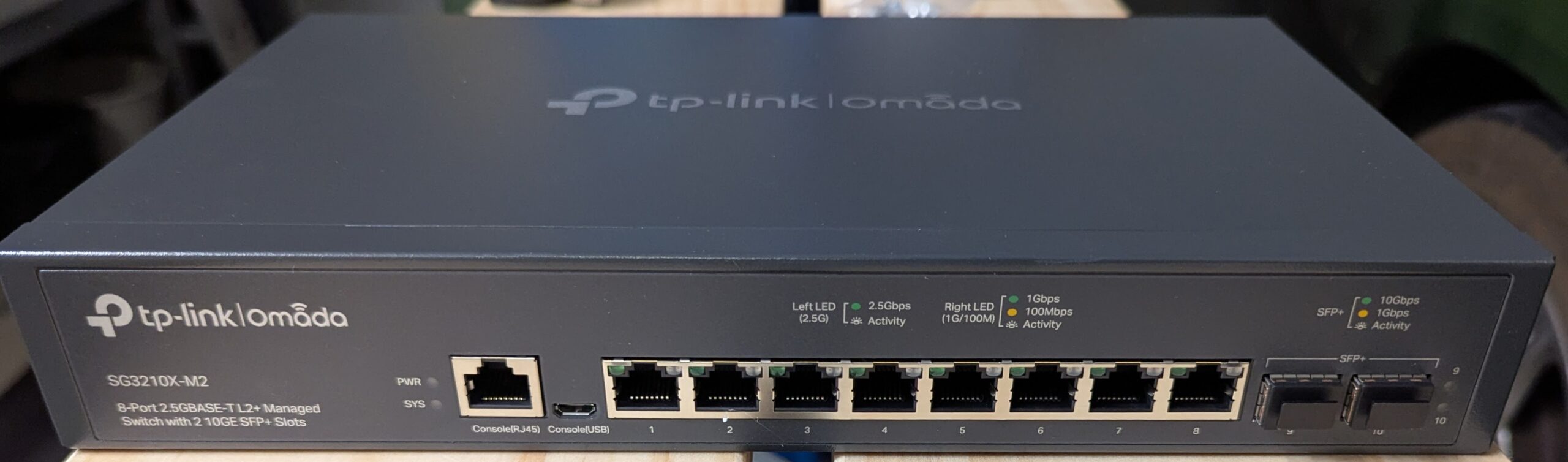
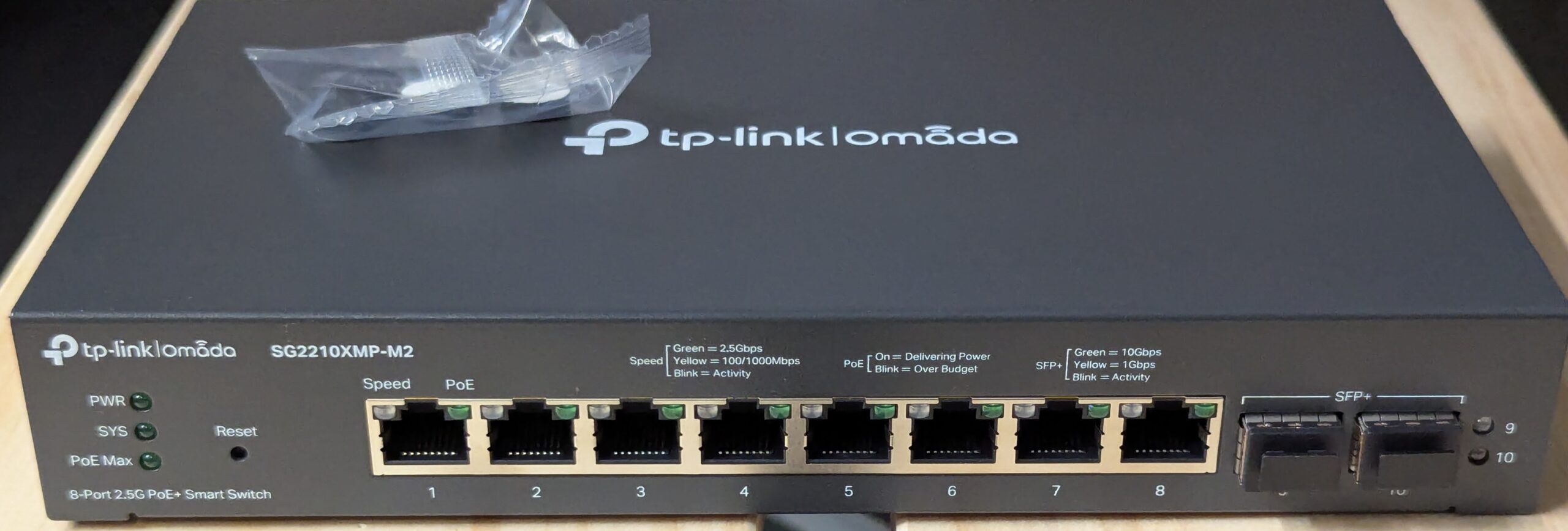
Both of these switches are fan less which makes for a very quite setup. I do have some AC Infinity fans in the rack which helps keep airflow moving through the rack.
The SG2210XMP-M2 overall size is slightly smaller than then SG3210X-M2 due to the fact that the power supply is external. This power supply itself is huge but easy enough to hide in the back of the rack. It is probably due to the the use of an external power supply that allowed this switch to be fan less. The biggest downside to the SG2210XMP-M2 is that it is not rack mountable. Despite the specifications listing a suitable rack mount kit that does not work as there are no holes in the case for attaching the rack ears (and the switch is quite heavy as well). It was however simple enough to stack the SG2210XMP-M2 on the SG3210X-M2.
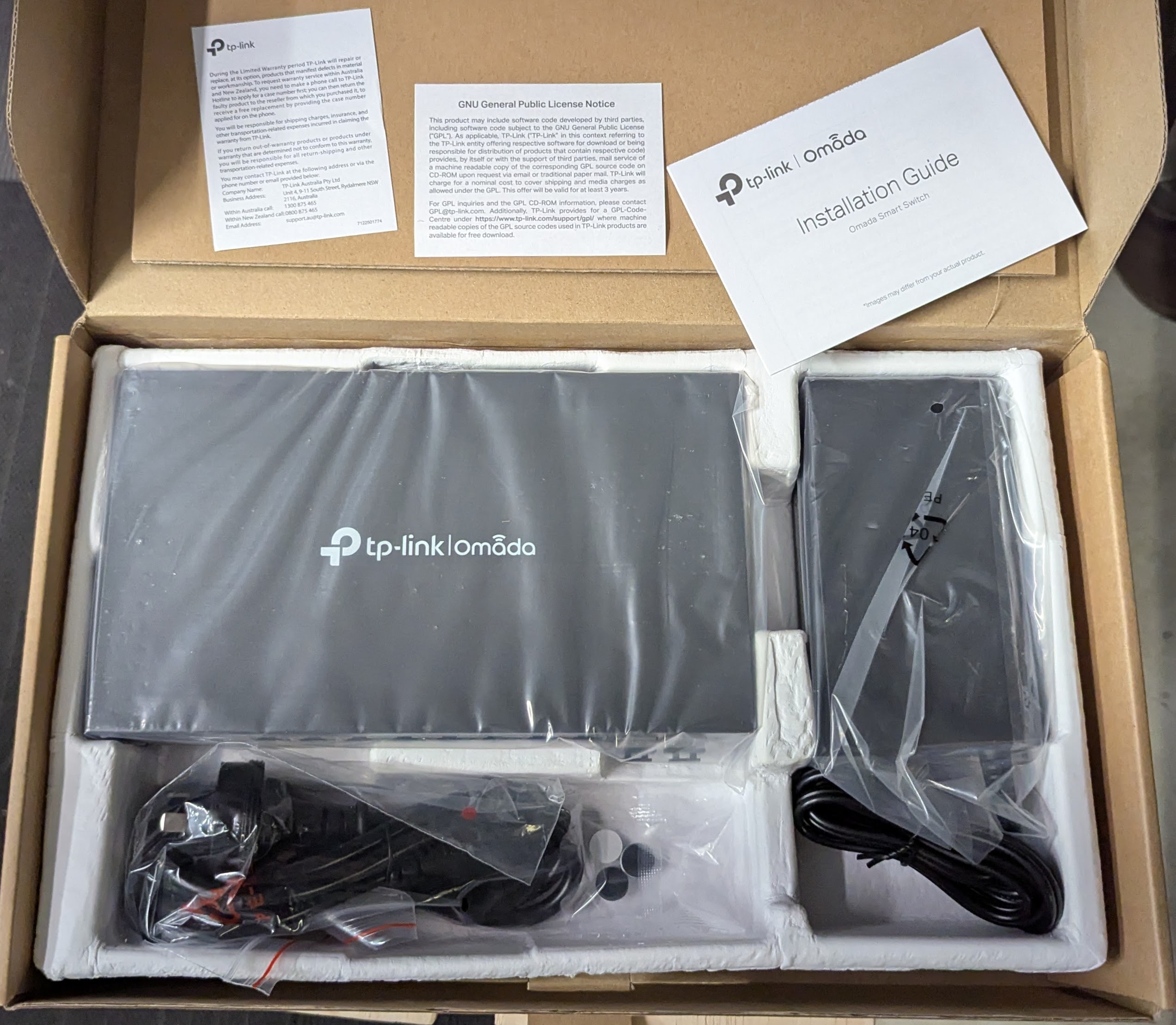
Both switches are L2/L3 managed and the feature set looks to be identical between both. The amount of functionality is extensive, which can make it a bit difficult finding your way around initially. While they can be managed via the Omada SDN software in the end after testing that I decided that it was overkill. These switches are the only Omada devices I owned, the Omada SDN functionality is less than that provided via direct access to the switch and I have an existing librenms deployment which can monitor the switches. What I did test with Omada SDN worked fine. The switches have both a web UI (http and/or https) and cli (ssh and/or telnet) access. In addition on the SG3210X-M2 the cli is also available via the serial and USB console ports. I was able to automate the installation and updating of letsencrypt ACME certificates and keys via the cli over ssh for the HTTPS web UI which was nice.
| Model | SG3210X-M2 | SG2210XMP-M2 |
| Ports | 8×2.5G 2x10G SFP+ | 8×2.5G 2x10G SFP+ |
| Managed | YES L2/L3 | YES L2/L3 |
| Power supply | Internal | External (53.5V =~ 3.37A) |
| Max power | 15.0W | 180.1W |
| PoE budget | N/A | 160W |
| Rack mountable | Yes | No |
| Console | RJ45 (serial) + micro-USB | N/A |
| Fans | No | No |
| Price (AUD) | $325 | $409 |
The final setup consists of the two switches with a 10G SFP+ DAC cable connecting them. As the SG2210XMP-M2 is not rack mountable it was placed on top the SG3210X-M2. A 10GBASE-LR SFP+ is installed in of the free SFP+ ports for a connection through to a switch in the office rack. The three mini PCs and the NAS (it is beside the rack, not in it) are all connected via 2.5G port. Monitoring is performed using SNMP using a librenms instance. For the web UI https certificates I am using the CLI (via ssh with public key authorisation and expect) to upload the letsencrypt certificate and the keys (generated using lego with DNS validation for internal only names). This has been running for 9 months without any issues.
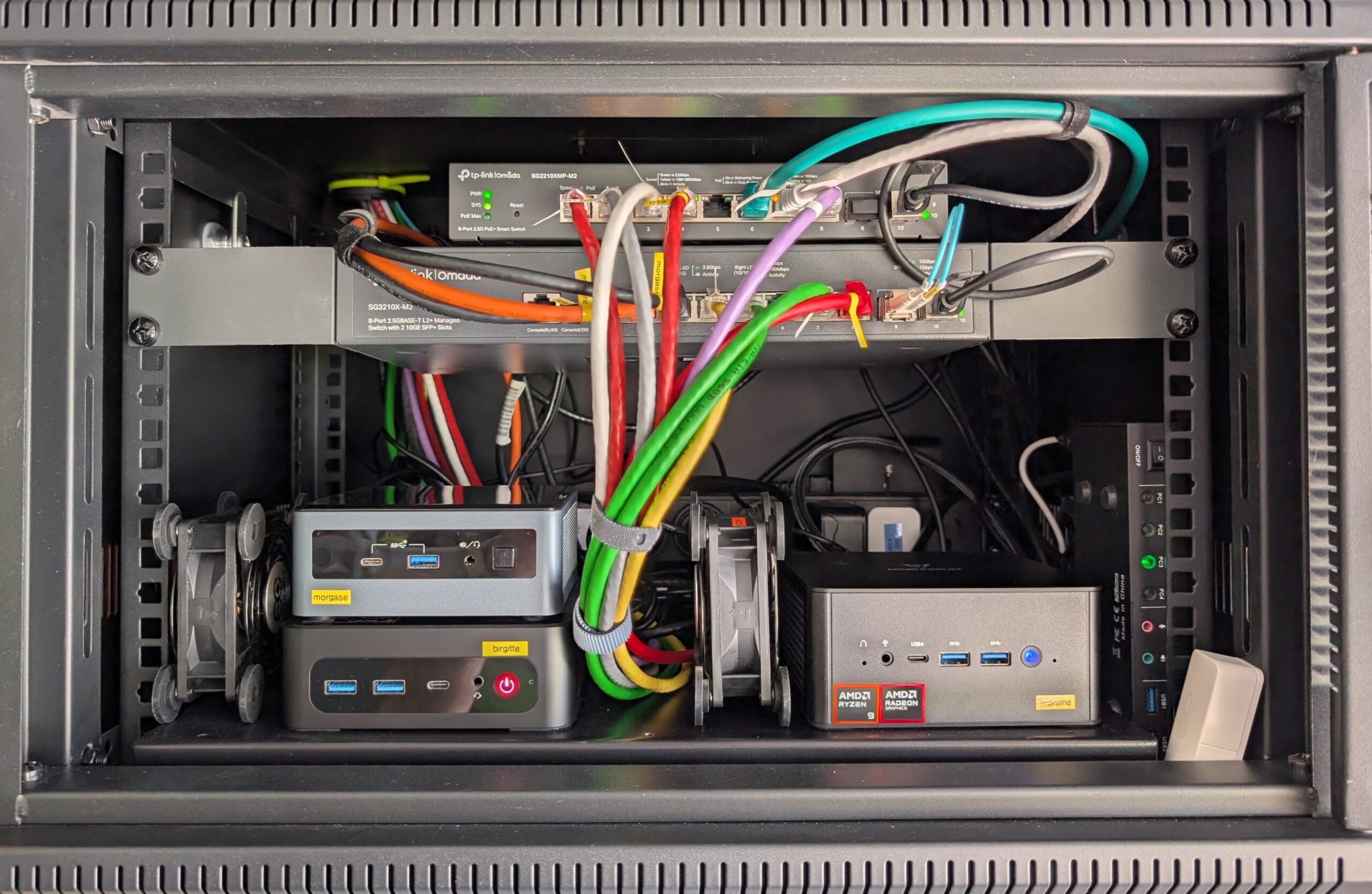
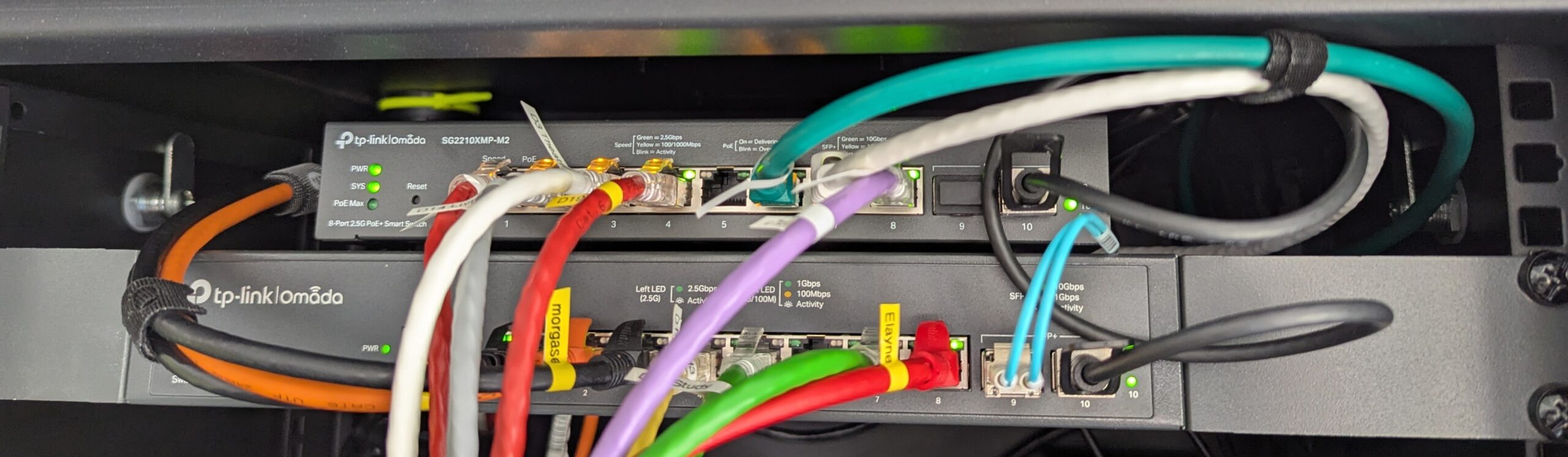
Overall I highly recommend this combination if you need a silent setup, have a short rack depth, need PoE, want a couple of 10G SFP+ ports and a number of 2.5G ports.
Comments